Semi-Automated Release Guide
Audience: Release Managers
Overview🔗
The steps performed in the Manual Release Guide have been automated to a large extent. This semi-automated release guide outlines the workflows that can be used to perform a release with little manual intervention.
Note that all screenshots in this page are for illustration purposes only. The actual repository name, version numbers, etc. may be different.
Dry-run mode🔗
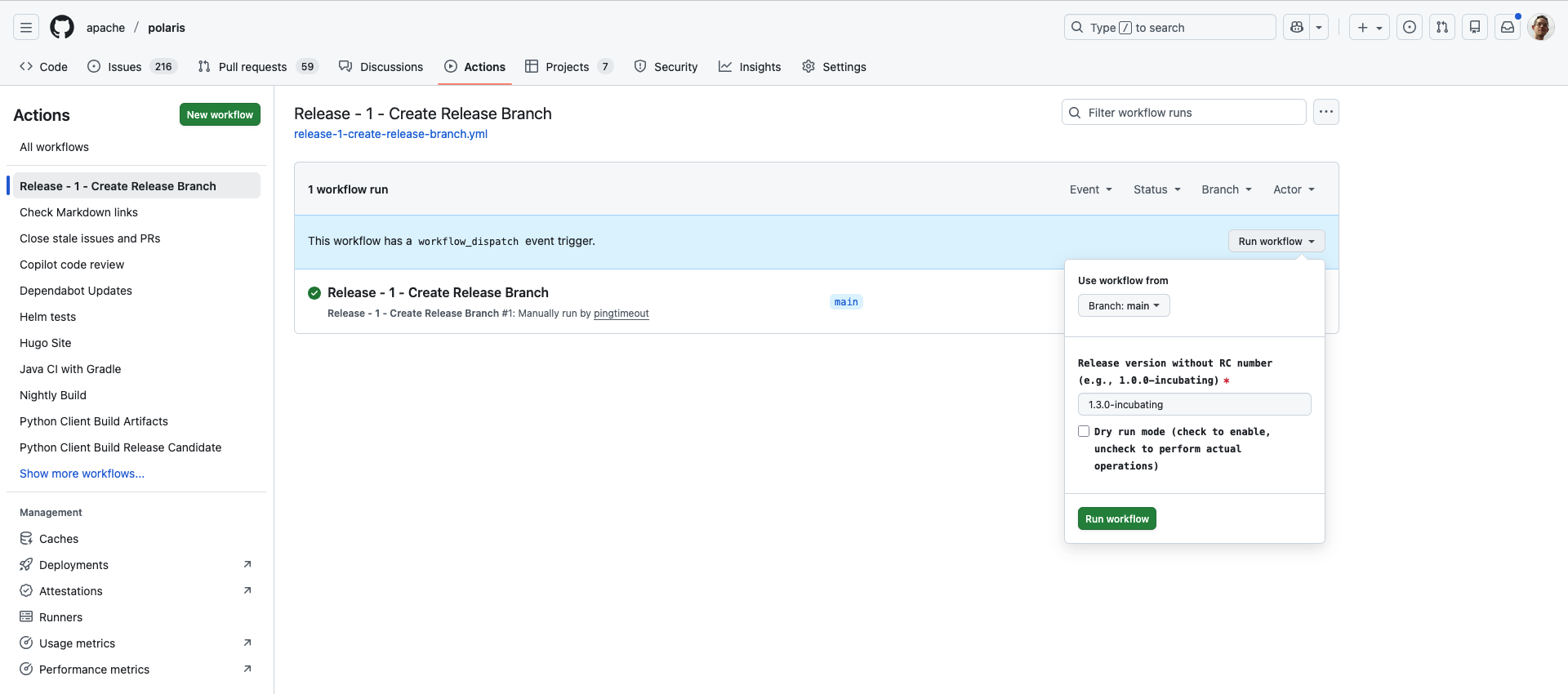
Each of the Github Workflows that have been developed comes with a dry-run mode. It is enabled ticking the Dry run mode checkbox before starting the workflow. When enabled, the workflow will not perform any destructive action (e.g. tag creation, branch deletion, etc.) but instead print out the commands that would have been executed.
Dry-run mode is enabled by default. So ensure that you uncheck the Dry run mode checkbox before starting the workflow.
Prerequisites🔗
Announce the intent to cut a release🔗
Polaris follows a schedule-driven release model. The first thing to do is to send an e-mail to the dev@polaris.apache.org mailing list to announce the intent to cut a release, approximately a week before the scheduled release date. The e-mail should include the following information:
- The version number of the release (e.g. 1.4.0)
- The tentative date of the release (e.g. 2026-01-19)
Note that the tentative date is only a suggestion. The actual date of the release will be determined by taking community feedback into account. For instance, if specific pull requests are about to be merged, the release may be delayed by a couple of days to include them.
[DISCUSS] Apache Polaris [major].[minor].[patch]
Hello everyone,

The purpose of this e-mail is to collect feedback on the upcoming Apache
Polaris [major].[minor].[patch] release. The tentative release date is
YYYY-MM-DD. Please let me know if you have any concerns or comments, or if
there are some specific pull requests that you would like to see included in
the release.

Thanks,
Ensure that the changelog is up to date🔗
As part of Polaris development process, for each major change in the codebase, a new entry should be added to the CHANGELOG.md file. This is usually verified during pull request reviews. But some changes may have been missed. So before cutting a release, it is important to ensure that the changelog is up to date.
Release branch creation workflow🔗
The first Github workflow to run is Release - 1 - Create Release Branch. This workflow will create a release branch from the main branch. The release branch is named after the release number and does not include the patch version. For instance, the release branch for version 1.3.0 is named release/1.3.x. It should only be executed only once per major.minor version.
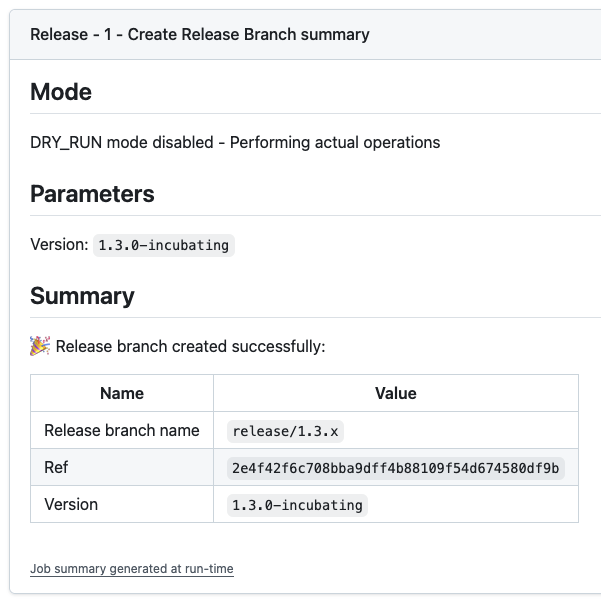
Once the workflow has run, the run details page contains a recap of the main information, including whether dry-run mode was enabled, the release branch name and the Git SHA of the commit that was used to create the release branch.
Release candidate tag creation workflow🔗
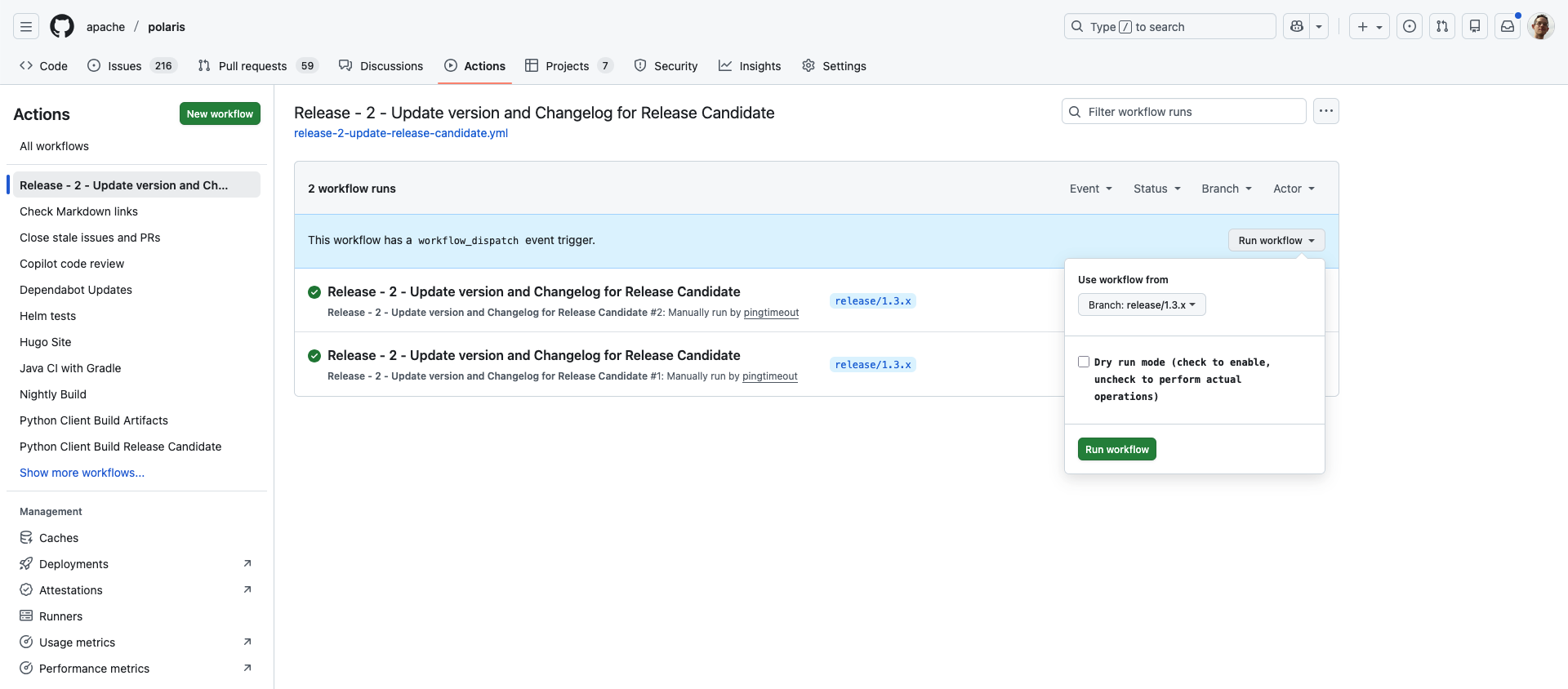
The second Github workflow to run is Release - 2 - Update version and Changelog for Release Candidate. This workflow will:
- Verify that all Github checks are green for the release branch.
- For RC0 only: update the project version files with the final version number, update the changelog, and commit the changes to the release branch.
- Create the
apache-polaris-[major].[minor].[patch]-rc[N]tag
The rules to create the [major].[minor].[patch]-rc[N] tag are as follows:
- Find the last patch number for the
[major].[minor]version by looking at existing tags, or 0 if no tag exists. - Find the last RC number for the
[major].[minor].[patch]version by looking at existing tags, or 0 if no tag exists. - If a final release tag exists for the
[major].[minor].[patch]version, then use[major].[minor].[patch+1]-rc0 - Else if an RC tag exists for the
[major].[minor].[patch]-rc[N]version, then create[major].[minor].[patch]-rc[N+1] - Else create
[major].[minor].[patch]-rc0
This workflow can only be run from a release/[major].[minor].x branch. Selecting any other branch in the Github Actions UI will result in a failure.
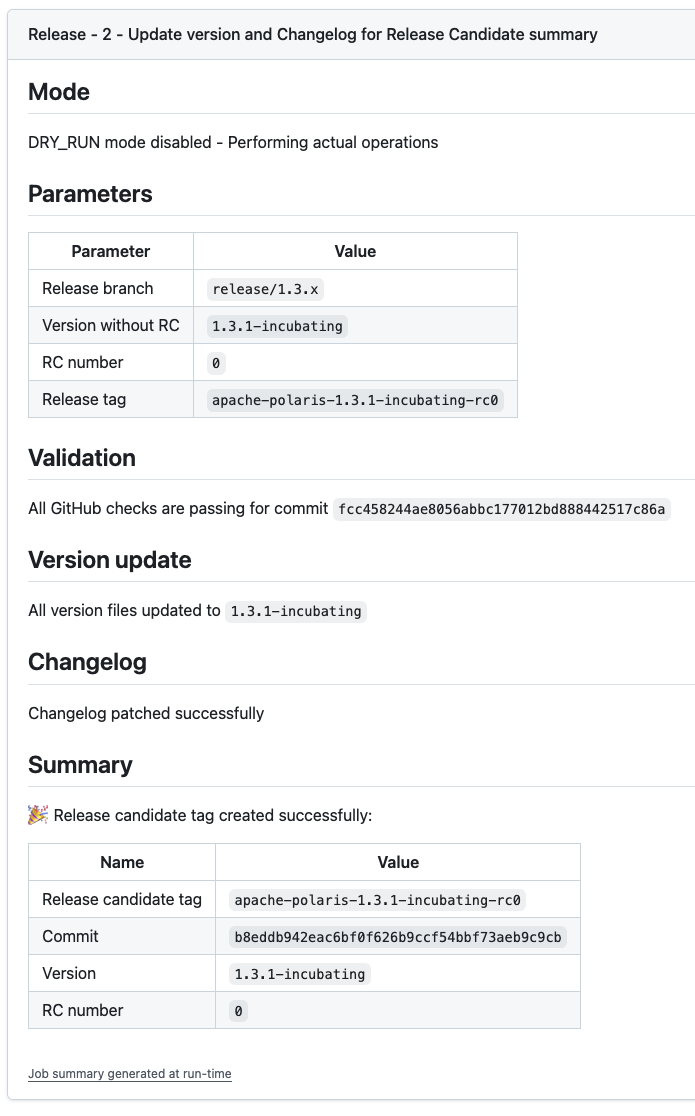
Like for the other workflow runs, the run details page contains a recap of the main information, with all the steps that were executed.
RC≥1 only - Update release branch and create tag🔗
If the first release candidate is rejected, additional code changes may be needed.
Each code change that should be added to the release branch must be cherry-picked from the main branch and proposed in a dedicated pull request. The pull request must be reviewed and approved before being merged. This step is mandatory so that Github runs the CI checks. The subsequent workflows will verify that those checks passed.
Once the pull requests have been merged, run the Release - 2 - Update version and Changelog for Release Candidate workflow again to create a new RC tag. The workflow will automatically determine the next RC number.
Build and publish release artifacts🔗
The third Github workflow to run is Release - 3 - Build and publish release artifacts. This workflow will:
- Build the source and binary artifacts
- Stage artifacts to the Apache dist dev repository
- Publish the source and binary artifacts to the Apache Nexus repository
- Close the Apache Nexus repository
- Build Docker images for the server and the admin tool
- Build the Helm chart
- Create signature and checksum for all package files
- Copy package files to Apache dist dev repository
- Generate an e-mail to notify the community of the availability of the release candidate
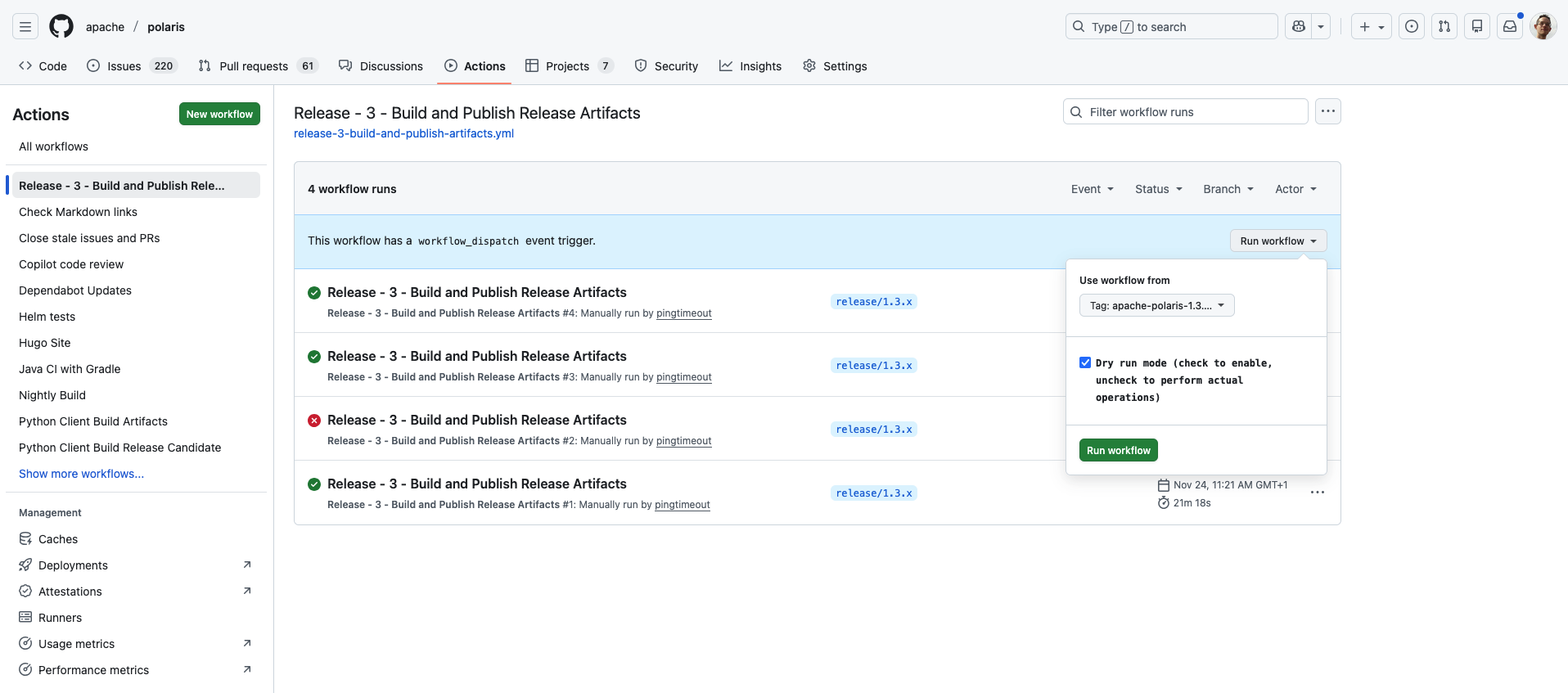
This workflow must be run from an RC tag (e.g., apache-polaris-1.3.0-rc0). Select the tag from the Use workflow from dropdown in the Github Actions UI. Selecting any other reference in the Github Actions UI will result in a failure.
Start the vote thread🔗
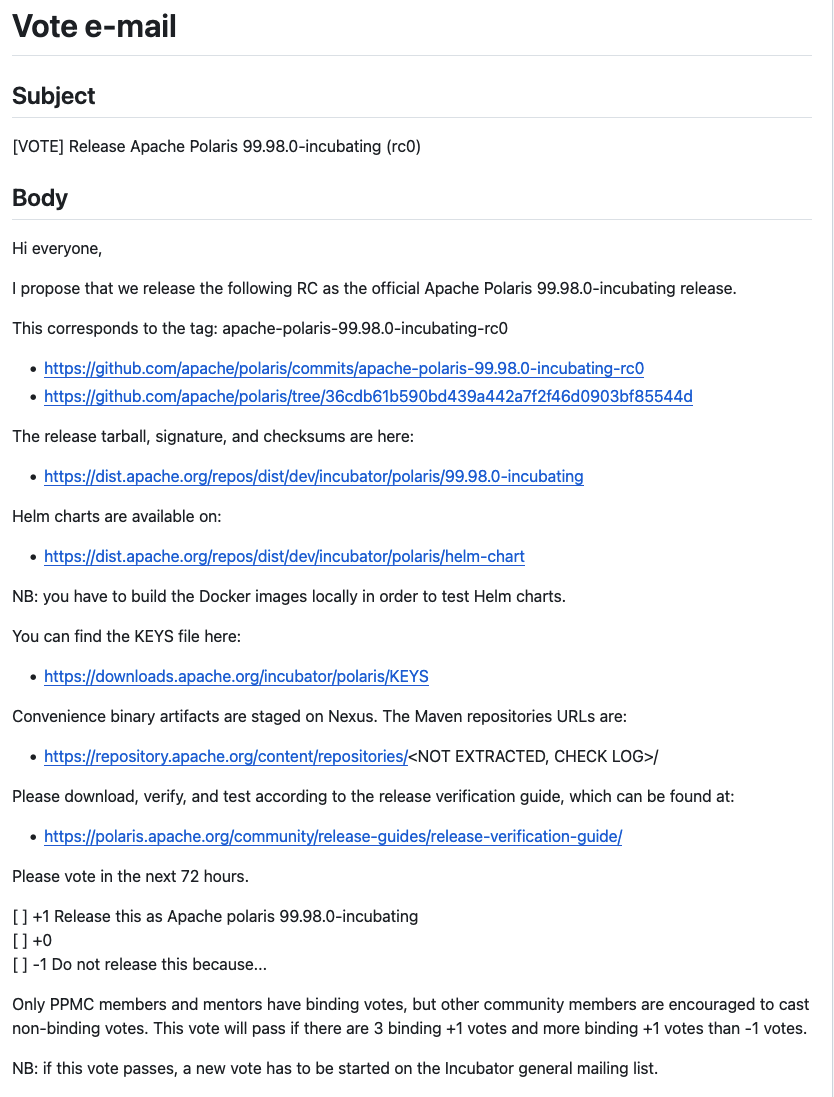
The last step for a release candidate is to send a VOTE thread on the dev mailing list. The run details page for the third workflow contains a ready-to-send e-mail to notify the community of the availability of the release candidate and start the vote.
The next steps depend on the vote result.
Close the vote thread🔗
If the vote failed🔗
If the vote failed, run the Github workflow Release - X - Cancel Release Candidate After Vote Failure. This workflow will:
- Drop the Apache Nexus staging repository
- Delete the release artifacts (including Helm Chart) from the Apache dist dev repository
- Prepare an e-mail template to notify the community of the vote result
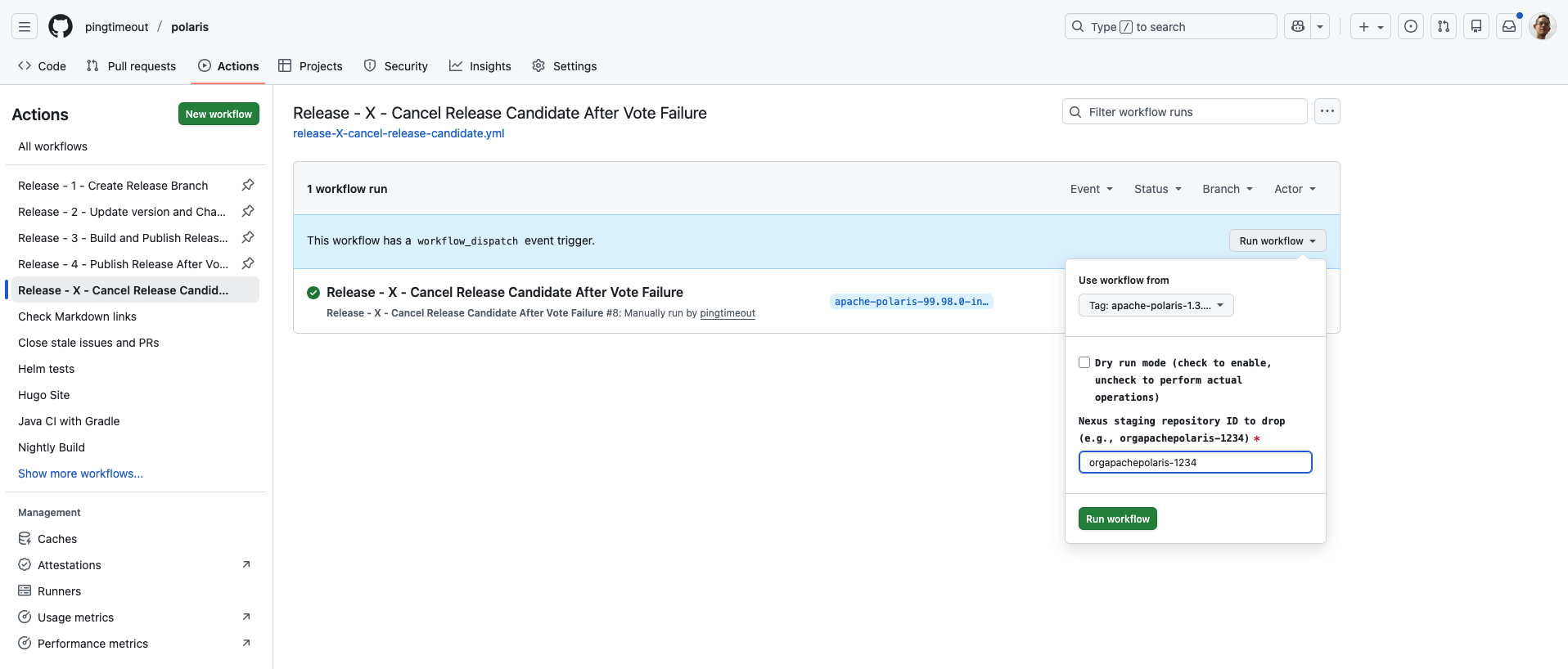
The run details page contains a recap of the main information, with all the steps that were executed.
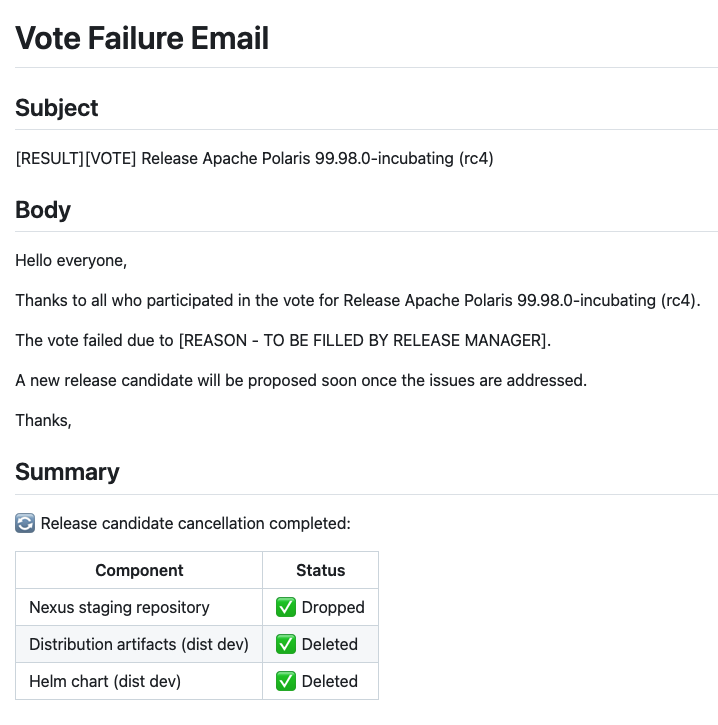
It also contains the e-mail template to notify the community of the vote result.
Ensure to replace the [REASON - TO BE FILLED BY RELEASE MANAGER] placeholder with the actual reason for the vote failure.
Then send the e-mail to the Polaris dev mailing list.
If the vote passed🔗
When the release candidate vote passes, send a new e-mail with the vote result:
[RESULT][VOTE] Release Apache Polaris [major].[minor].[patch] (rc[N])
Thanks everyone who participated in the vote for Release Apache Polaris [major].[minor].[patch] (rc[N]).

The vote result is:

+1: a (binding), b (non-binding)
+0: c (binding), d (non-binding)
-1: e (binding), f (non-binding)

We will proceed with publishing the approved artifacts and sending out the announcement soon.
Publish the release🔗
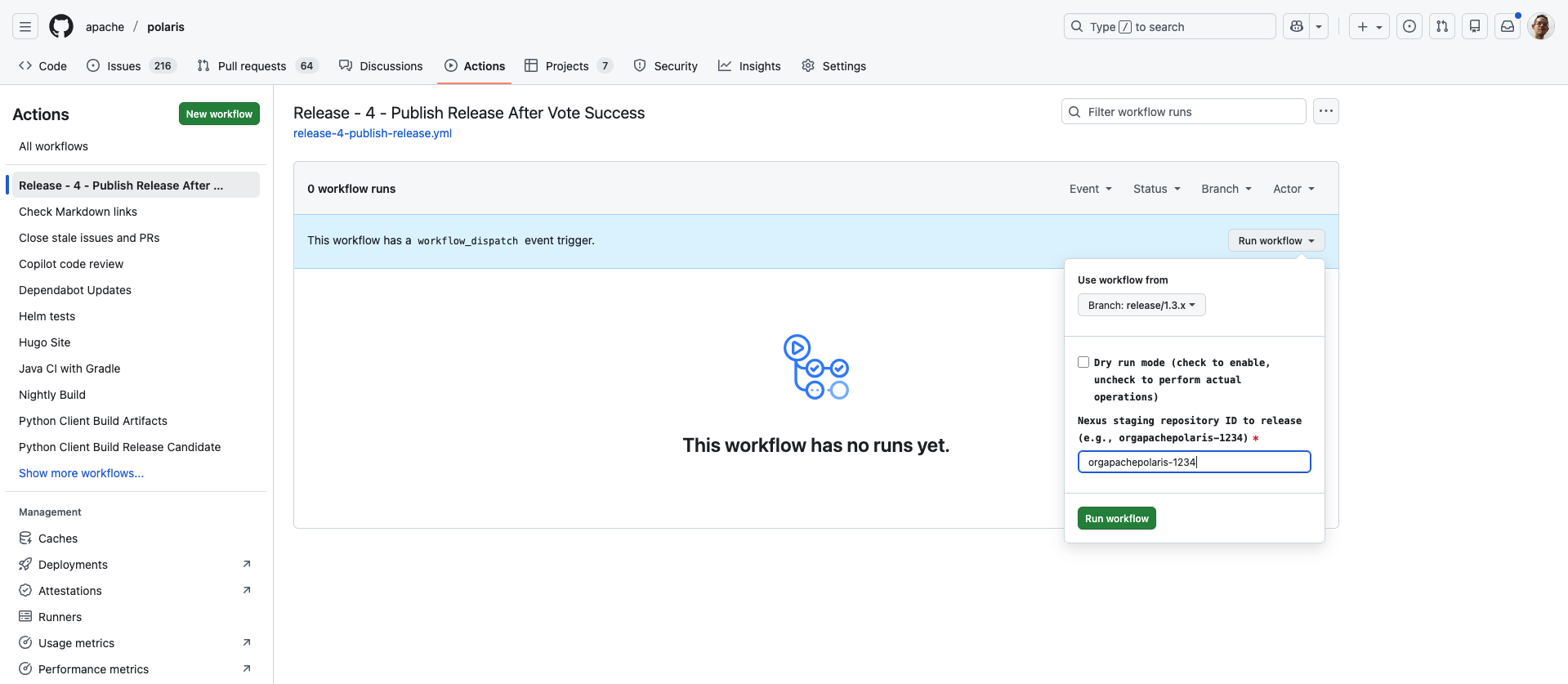
The final workflow to run is Release - 4 - Publish Release After Vote Success. This workflow will:
- Verify that the release branch HEAD matches the last RC tag
- Copy artifacts from the dist dev to the dist release SVN repository
- Update the Helm index in dist release repository accordingly
- Create a final release tag
- Rebuild and publish Docker images to Docker Hub
- Create a Github release with the release artifacts
- Release the candidate repository on Apache Nexus
This workflow can only be run from the release/[major].[minor].x branch for which a vote has passed. The workflow verifies that no commits have been added to the release branch since the last RC was created. It also requires the Nexus staging repository id (orgapachepolaris-<ID>) that was created by the previous workflow.
Publish docs🔗
These steps have not been automated yet.
Upload the documentation🔗
Now that the release artifacts have been published, the next step is to publish the associated documentation on the website.
First, checkout the release tag:
git checkout apache-polaris-[major].[minor].[patch]
Set up a worktree for the versioned docs and create a new branch:
site/bin/checkout-releases.sh
cd site/content/releases
git checkout -b versioned-docs-[major].[minor].[patch]
mkdir [major].[minor].[patch]
Copy the documentation from the release tag:
cp -r ../../content/in-dev/unreleased/* [major].[minor].[patch]/
Edit the file [major].[minor].[patch]/_index.md. Compare with template
site/content/in-dev/release_index.md and perform the following modifications:
- Change the
titlefromApache Polaris Documentation (Unreleased)toApache Polaris [major].[minor].[patch] Documentation. - Change the
linkTitlefromIn Developmentto[major].[minor].[patch]. - Change the
weightaccordingly, e.g. for a version 1.2.3 use weight -10203. - Set the
release_versionparameter everywhere:release_version: '[major].[minor].[patch]' - Adjust the
menussection to register this release in the Documentation dropdown menu (see existing releases for examples). - Adjust the
cascadesection accordingly. - Remove the
alert warningblock that warns that the documentation is for the main branch.
Commit and push to your fork:
git add .
git commit -m "Add documentation for [major].[minor].[patch]"
git push <your-fork> versioned-docs-[major].[minor].[patch]
Clean up the worktree:
cd ../../..
site/bin/remove-releases.sh
Then open a PR against the versioned-docs branch with your changes.
Update the download links on the website🔗
The final step is to update the “Download” page on Polaris website with links to the newly released artifacts. Checkout the main branch locally.
git checkout -b main-site-download-links-[major].[minor].[patch] main
Create a new directory and file for the release under site/content/downloads/[major].[minor].[patch]/index.md. The file should contain the following information:
- Front matter with appropriate metadata (title, weight, etc.)
- A table with links to each of the artifacts, its PGP signature and associated checksum. All links in this section MUST point to
https://dlcdn.apache.org/orhttps://downloads.apache.org/. - The release date.
- A paragraph with the release notes.
Refer to the README.md file under site/content/downloads/README.md for a full description of the
downloads page structure and requirements when adding a new release.
Finally, edit the file site/hugo.yaml. Add a new bullet point under active_releases for the new
release; remove the oldest release from this list.
Then open a PR against the main branch with your changes.